18 Searchable Feature Guides
Every feature your team needs — in one platform
From floating timers and offline LAN monitoring to leave management and compliance-grade data retention — Tracker 29 covers the full employee intelligence lifecycle.
23 Powerful Capabilities + 18 Coming Soon
Everything your team needs — in one platform
From floating timers and offline LAN monitoring to whitelabel deployments and AI-powered insights — Tracker 29 covers the full employee intelligence lifecycle.
Floating Widget
Always-on-top mini panel lets employees start, pause, take a break, or stop tracking with one click. Low background resource usage with idle detection and task tagging — without interrupting focus.
Project Timers & Worksheets
Project-based timers with worksheet exports. Employees log hours per task and project; managers review, approve, and export to PDF, Excel, or CSV.
Manual Time Entry
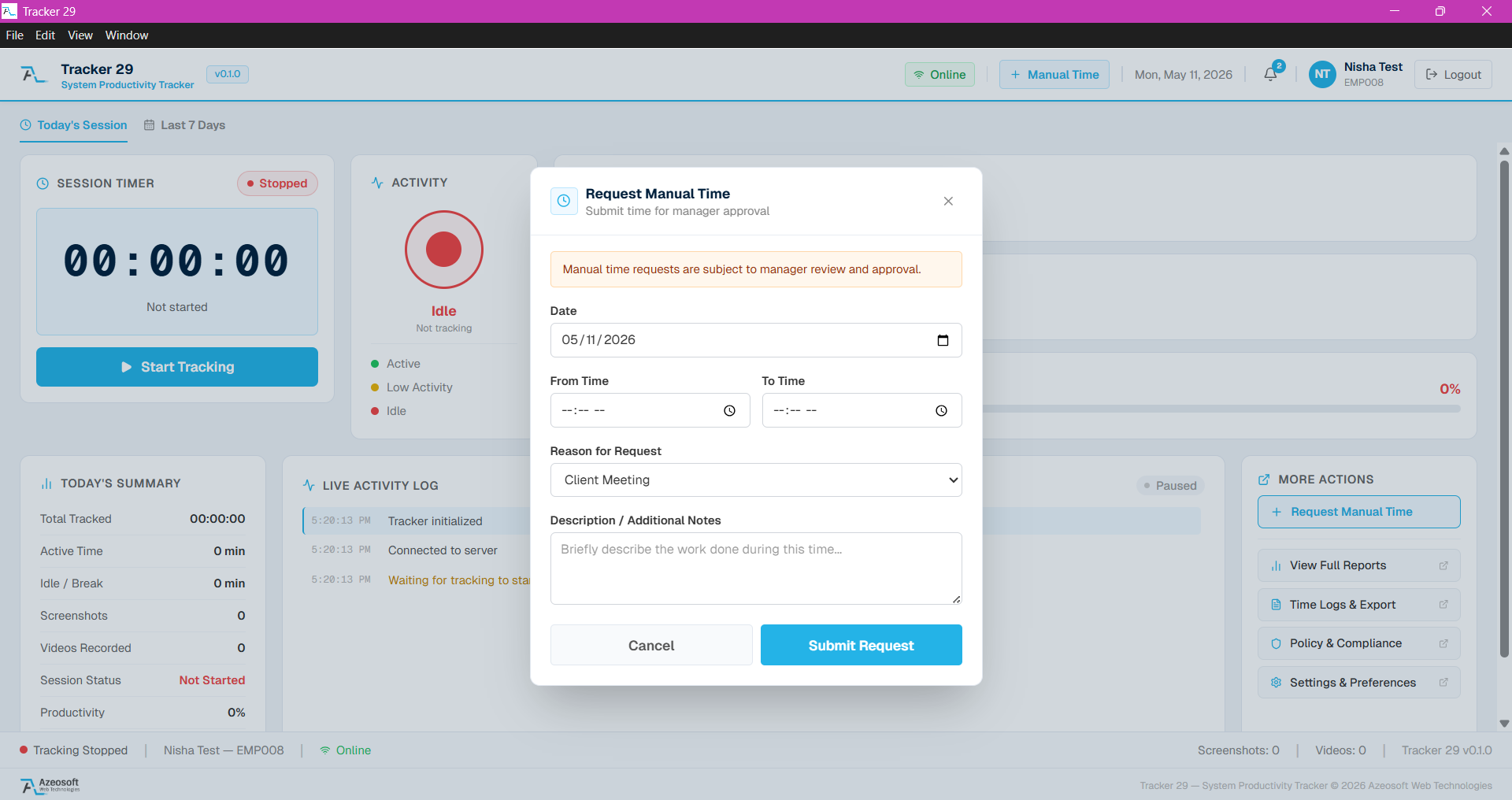
Employees can manually submit time logs for offline work, meetings, or forgotten sessions. All manual entries are flagged for manager review and require a justification note.
Offline Work Monitoring
Available for Windows, Mac, and Linux. Tracking continues with zero internet connection. All activity data is queued securely in local storage and automatically syncs to the cloud the moment connectivity is restored.
Popular Searches
High-demand employee tracking capabilities
Teams often compare tools by API access, screenshot visibility, and productivity dashboards. These guides explain what Tracker 29 supports and how each capability fits real operations.
Free API Access
Use Tracker 29 API access to connect employee productivity, attendance, app usage, screenshot, and reporting data with your internal tools.
Learn moreScreenshot Access
Review employee screenshots from a secure dashboard with timestamps, session context, capture counts, retention controls, and manager-friendly proof of work.
Learn moreProductivity Dashboard
Access employee productivity scores, active status, app usage, browser activity, idle time, attendance, screenshots, and team trends from one dashboard.
Learn moreFeature Guides
Explore focused employee tracking features
Each guide explains a specific capability, the use case it supports, and how it fits into employee productivity tracking.
Productivity Tracker
Track employee work hours, activity levels, app usage, attendance, and productivity trends with Tracker 29. Start with a free plan for up to 10 seats.
Floating Timer
Use an always-available desktop floating timer to start work, pause, take breaks, and track employee time without interrupting focus.
Free API Access
Use Tracker 29 API access to connect employee productivity, attendance, app usage, screenshot, and reporting data with your internal tools.
Screenshot Access
Review employee screenshots from a secure dashboard with timestamps, session context, capture counts, retention controls, and manager-friendly proof of work.
Productivity Dashboard
Access employee productivity scores, active status, app usage, browser activity, idle time, attendance, screenshots, and team trends from one dashboard.
Manual Time Entry
Let employees request manual time entries for meetings, offline work, or missed tracking sessions with manager approval and audit-friendly notes.
Offline Monitoring
Track employee activity when internet connectivity is unavailable. Tracker 29 queues offline work data securely and syncs when the connection returns.
App & Browser Tracking
See which apps, websites, and browser tabs employees use during work hours with detailed duration reports and productivity categorization.
Screenshots & Recording
Capture employee screenshots and screen recordings at configurable intervals with secure storage, timestamped galleries, and manager review workflows.
Live Screen View
View employee screens in real time from a secure web dashboard with live status, multi-monitor support, and team-level visibility.
Attendance Management
Automate employee check-ins, check-outs, breaks, attendance logs, late arrivals, early departures, and shift-based reporting.
Leave Management
Manage employee leave requests, approvals, attendance adjustments, holidays, and team availability in one workforce tracking platform.
Reports & Analytics
Generate employee productivity reports with app usage, browser activity, idle time, screenshots, attendance, and project-level analytics.
Data Retention
Control screenshot, video, and activity data retention by plan with secure storage policies for employee monitoring compliance.
API Usage & Quotas
Monitor Tracker 29 API keys, request usage, rate limits, monthly quotas, and plan-based API access for workforce analytics integrations.
Team Insights
Compare team productivity, attendance, active time, idle time, app usage, project time, and performance trends from the Tracker 29 dashboard.
Attendance Audit Logs
Review attendance status, day details, manual corrections, audit logs, full-day, half-day, no-show, late-entry, and leave context in Tracker 29.
Timeline & Activity API
Use Tracker 29 timeline and activity endpoints to retrieve employee work sessions, screenshots, raw activity, app usage, browser usage, and timeline chunks.
Feature Spotlight
See it in action
Explore the key features that set Tracker 29 apart — from the floating timer to live screen monitoring.
Start, pause, and track — right from your desktop
The Azeosoft floating timer sits above all windows so employees never lose track. One click starts the timer, another logs a break. All sessions sync instantly to the cloud dashboard.
Learn more about this feature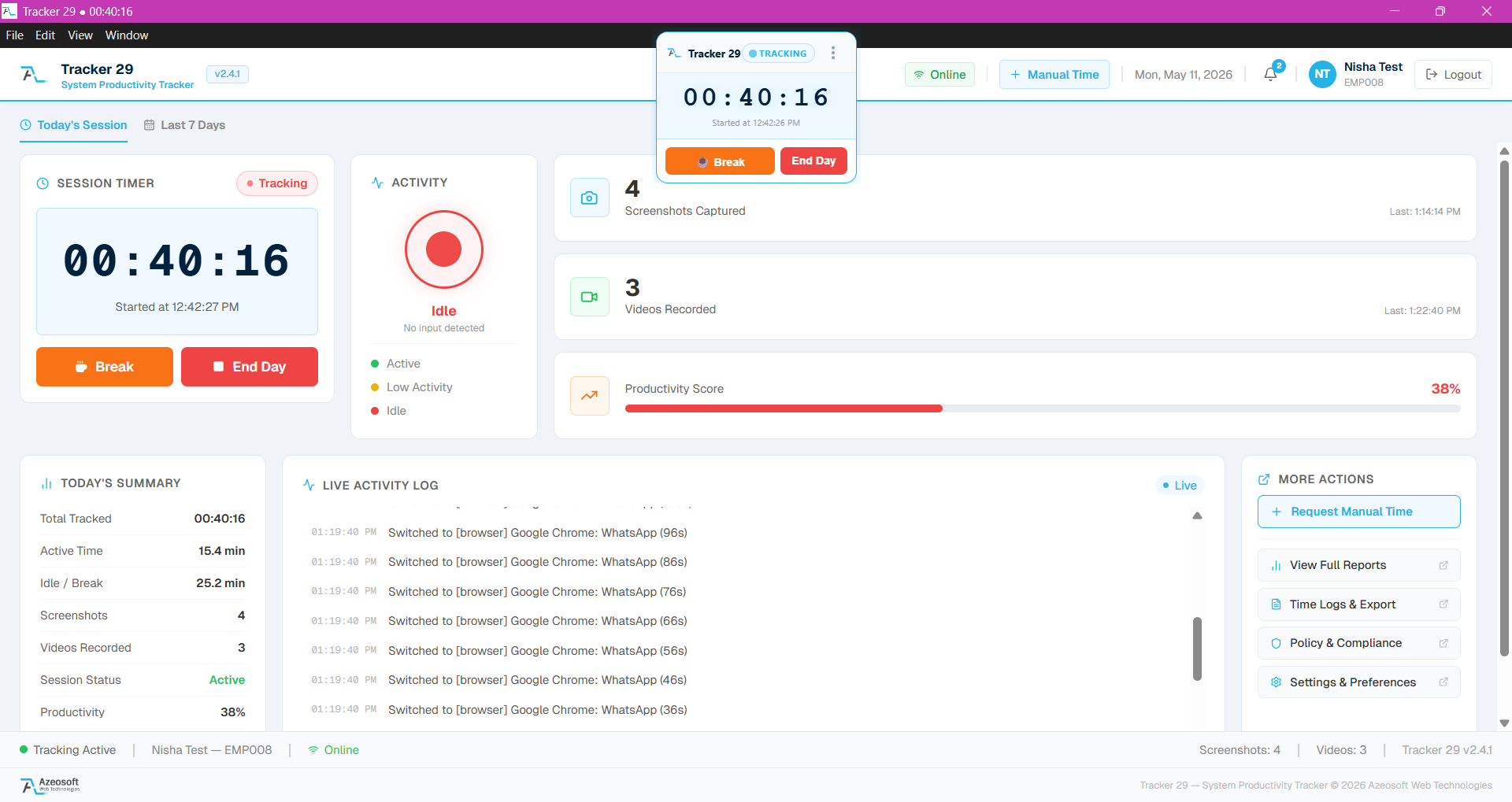
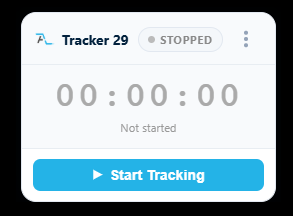
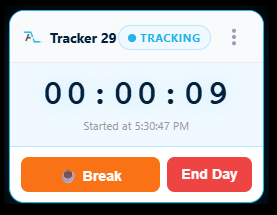
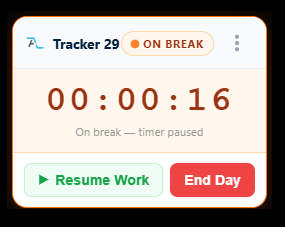
Stopped · Tracking · On Break
Ready to Get Started
Ready to boost your team's productivity?
Join thousands of teams that track smarter, not harder. Choose a plan and get your workforce intelligence platform running in minutes.
Simple setup · Dedicated support · Cancel anytime