Workforce Intelligence. Real-Time. Hybrid. Secure.
Tracker 29 is an intelligent workforce monitoring and productivity analytics platform — combining cloud dashboards, offline LAN-based P2P monitoring, screenshot & video evidence capture, and complete attendance management. Built for office, hybrid, and remote teams.
No credit card required
Trusted by teams at
About Tracker 29
The complete workforce intelligence platform
Tracker 29 by Azeosoft is an all-in-one employee monitoring and time tracking solution built for modern teams — remote, hybrid, and on-site. Track time, monitor productivity, capture evidence-grade screenshots, manage attendance, and gain real-time workforce insights from a single lightweight desktop agent.
Trusted by teams across 139 countries, Tracker 29 combines powerful monitoring capabilities with flexible deployment options — SaaS cloud, private cloud, on-premise, or hybrid LAN + cloud.
- Cross-platform desktop app for Windows, Mac & Linux
- Live screen monitoring with P2P offline LAN support
- Screenshot & video capture with configurable intervals
- Attendance, shift allocation & leave management
- App usage, browser tracking & productivity analytics
- Whitelabel branding & on-premise deployment options
Platform Capabilities
One platform. Every tool your team needs.
From live screen monitoring to offline LAN tracking — 10 powerful capabilities packed into a single lightweight desktop agent for Windows, Mac, and Linux.
Floating Widget
Always-on-top mini panel with break detection, idle alerts, and task tags — minimal footprint, maximum insight.
Offline Tracking
Works on Windows, Mac, and Linux with zero internet. Data queues locally and syncs automatically when reconnected.
Multiple Screen Tracking
Track all connected monitors simultaneously. Each screen is captured, recorded, and attributed to the right session.
Screenshots & Videos
Randomised screenshots and short video snippets captured at configurable intervals. Evidence-grade proof of work.
Realtime Screen Viewer
Watch any employee's screen live from the web dashboard. Online cloud mode and offline P2P LAN mode — both supported.
App & Browser Tab Tracking
See every application opened, every browser tab visited — with exact duration and time-on-tab breakdowns.
Attendance, Break & Leave
Auto check-in/check-out, break tracking, leave requests, holiday management — all built into the tracker.
Project Timers & Worksheets
Project-based timers with timesheet exports. Employees log hours per task; managers review and approve.
Whitelabel & On-Premise
Deploy under your own brand with a custom installer. Full on-premise option — data never leaves your servers.
Analytics & Usage Dashboard
Full visibility into data, media, sync, storage, and bandwidth consumption — per user, team, or account. Plus API key usage tracking with request counts, rate limits, and quota breakdowns across all plans.
Storage
Used vs quota
Data Sync
Events & intervals
Media
Screenshots & video
Bandwidth
Upload / download
API Keys
Requests & limits
Quotas
Per plan & seat
AI-Powered Features in Development
Geo Attendance
GPS-based attendance with location validation
Geo Tracking
Real-time tracking for field & sales employees
AI Face Attendance
Face recognition-based secure attendance
Smart Meeting Detection
Auto-detect meetings and track participation
Productivity Analysis
AI-based productivity scoring & focus tracking
AI Work Summary
Auto-generated daily/weekly work summaries
Behavioral Insights
Detect idle time, multitasking & work patterns
Manager Insights
Analyse manager involvement & team interaction
Meeting Intelligence
Track meeting time, frequency & engagement
Screenshot Intelligence
AI detects work vs non-work activity
Risk Alerts
Identify low productivity, burnout & anomalies
Ask AI
Query AI for employee insights & activity summaries
Observer Access
Third-party view-only access for monitoring
Role Restrictions
No edit/add permissions for observers
Multi-User Monitoring
Track multiple employees under one account
Secure Sharing
Controlled access with easy grant/revoke
Team Insights
Track team performance & efficiency trends
AI Credits
Usage-based AI system for controlled consumption
File Data Tracking
Track file copy, paste, upload & download events with source/destination paths
USB File Copy Tracking
Detect and log all files copied to/from USB drives and external storage
Network Activity Tracking
Monitor URLs accessed, bandwidth usage, and network-level app activity
Product Screenshots
See Tracker 29 in action
From the desktop floating timer to the real-time admin dashboard — explore every feature with actual product screenshots captured from the live platform.
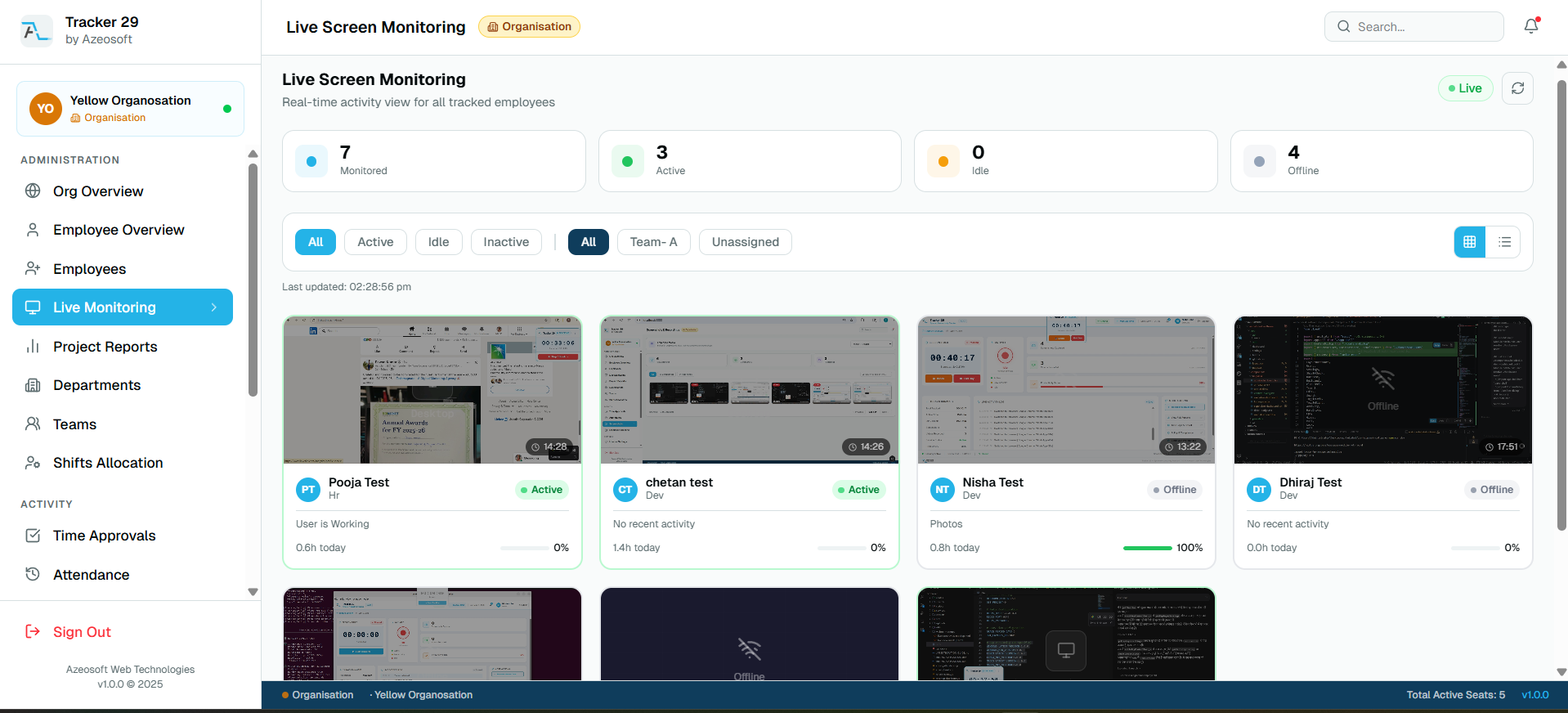
Live Screen Monitoring — Real-time grid of all employee screens with active/offline status
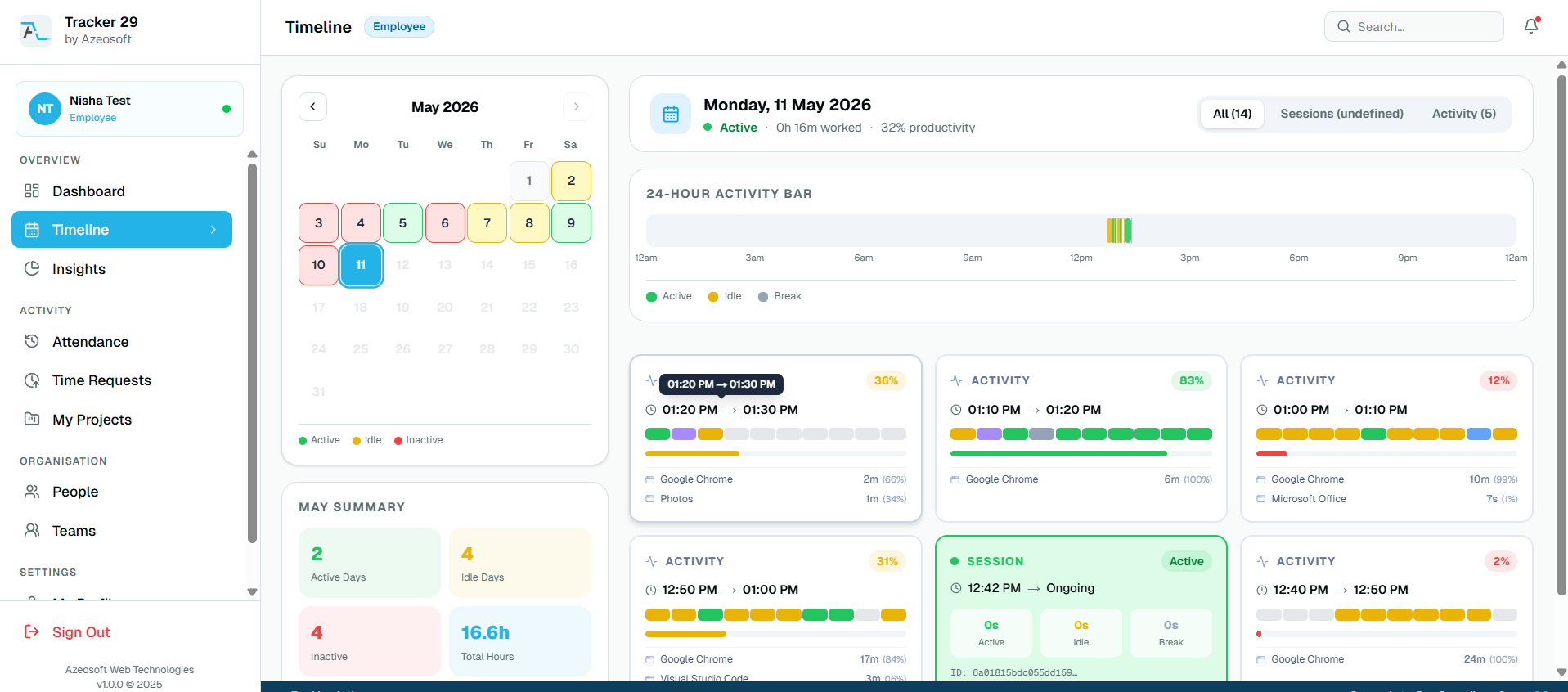
Timeline View — Calendar, 24-hour activity bar, and session cards
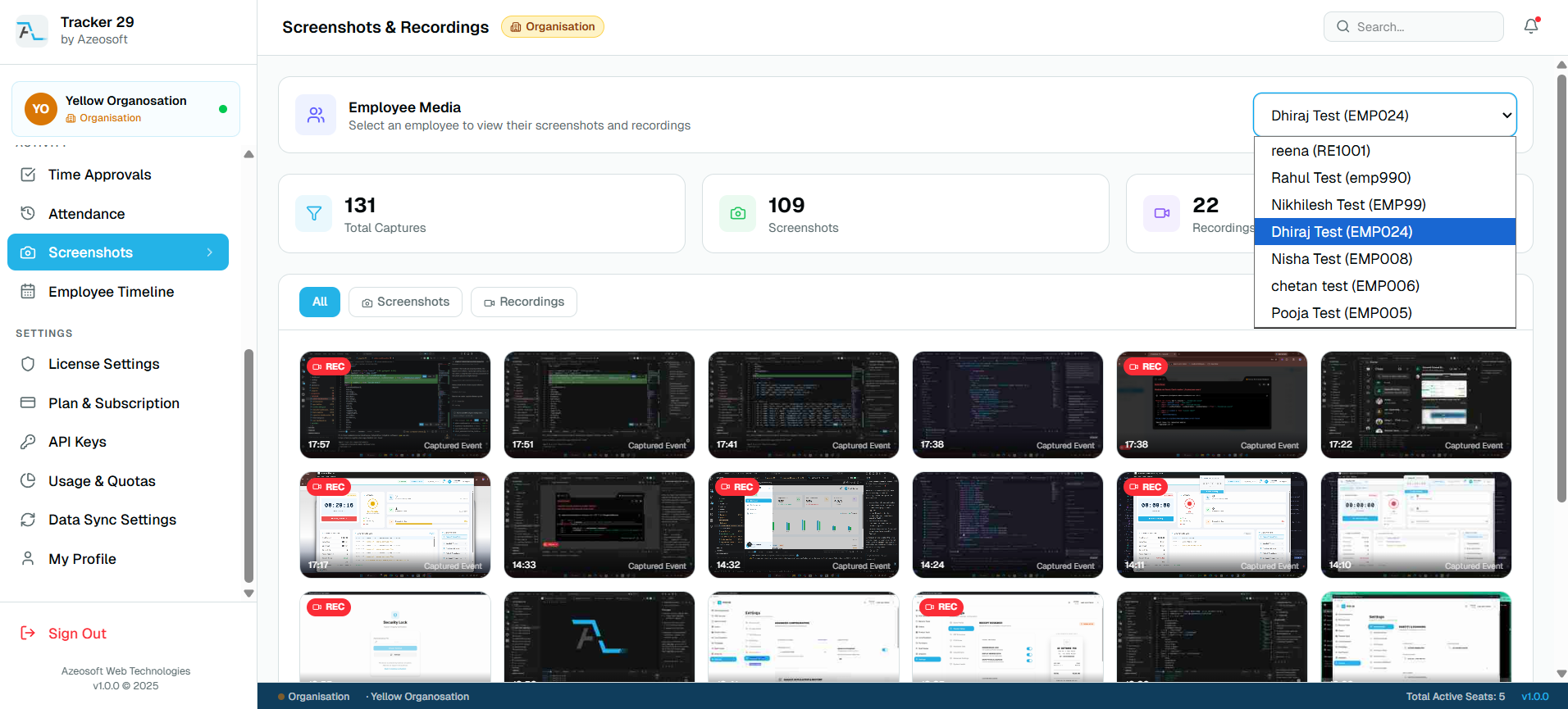
Screenshots & Recordings — Media gallery with all employee captures
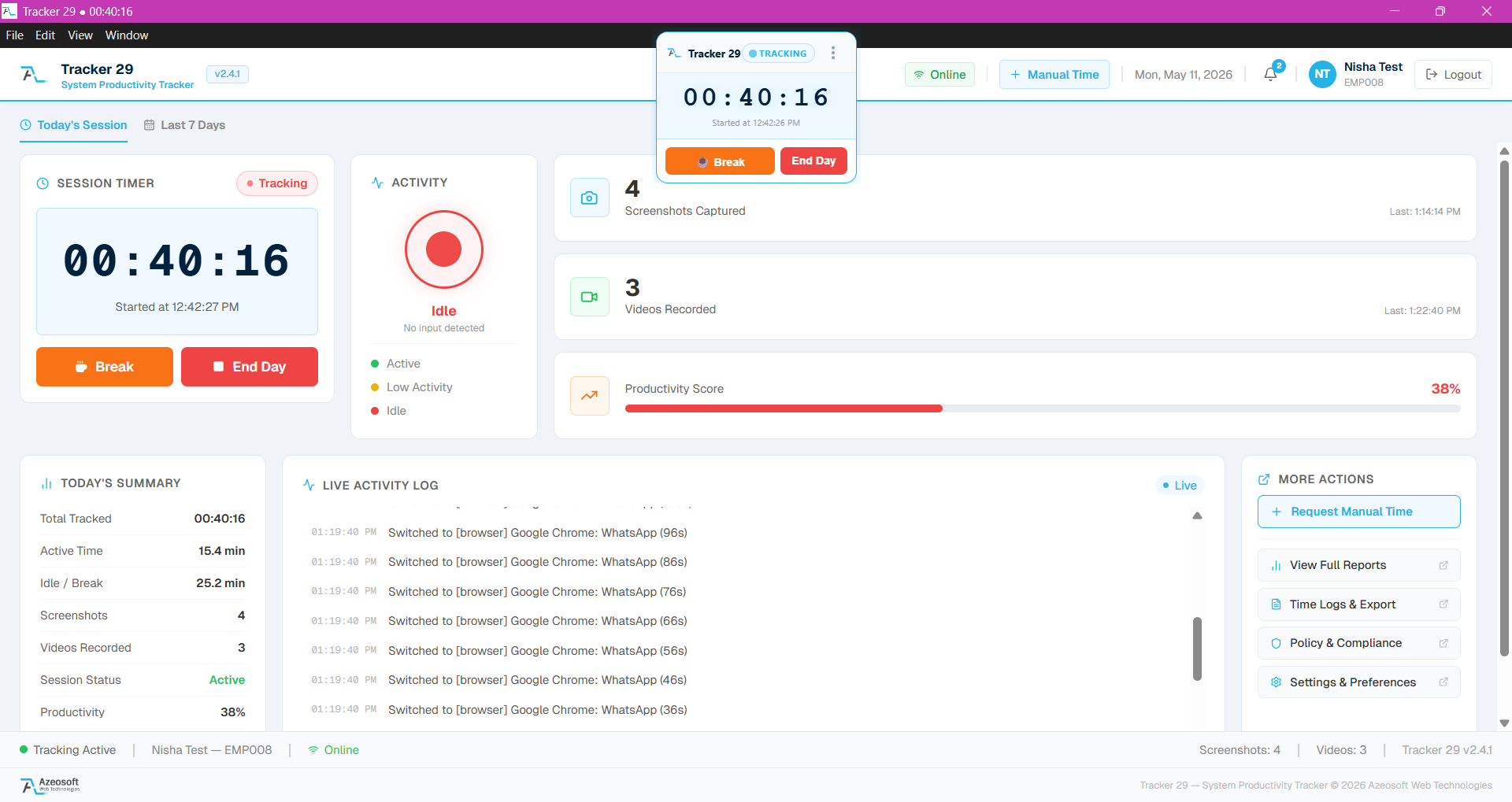
Desktop App — Session timer, activity monitor, live activity log
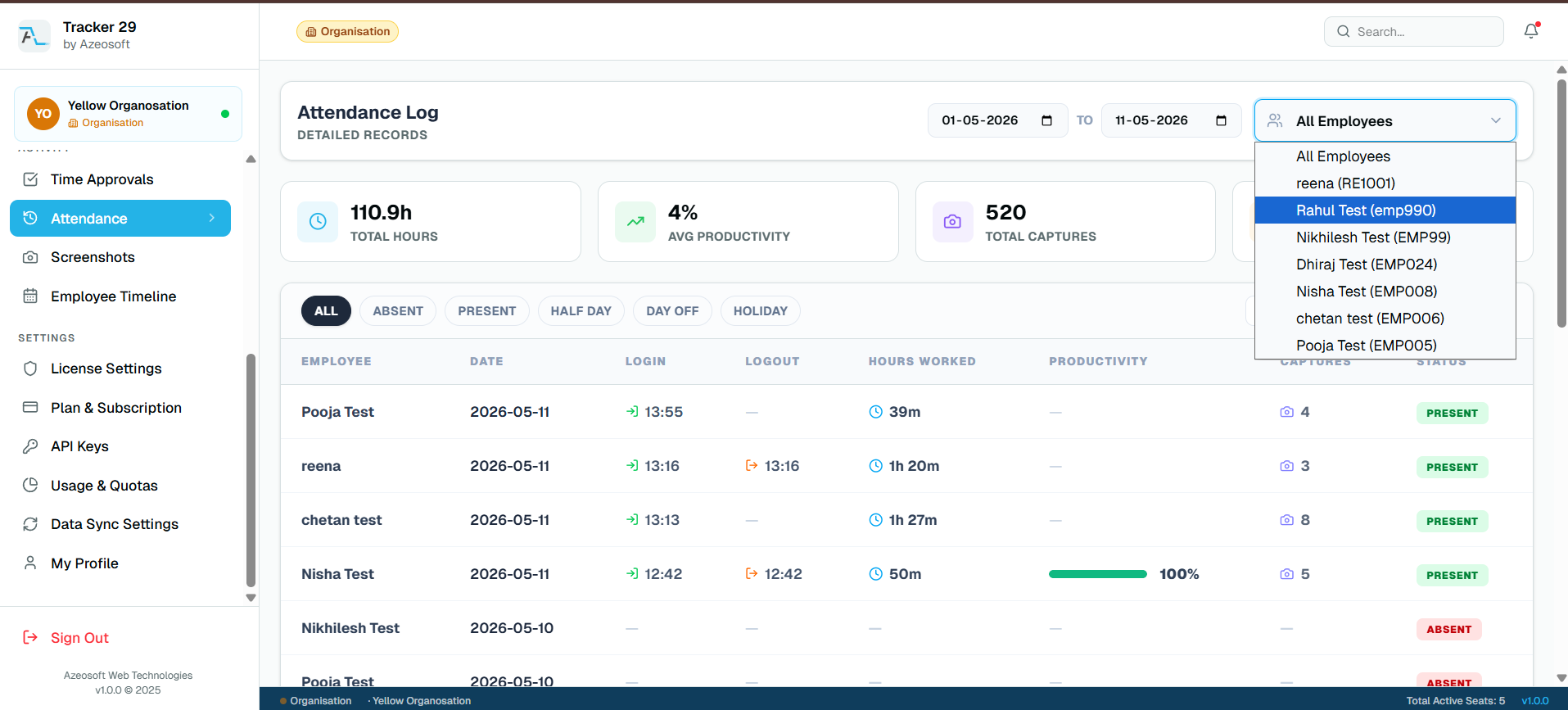
Attendance Log — Detailed records with login/logout times and productivity
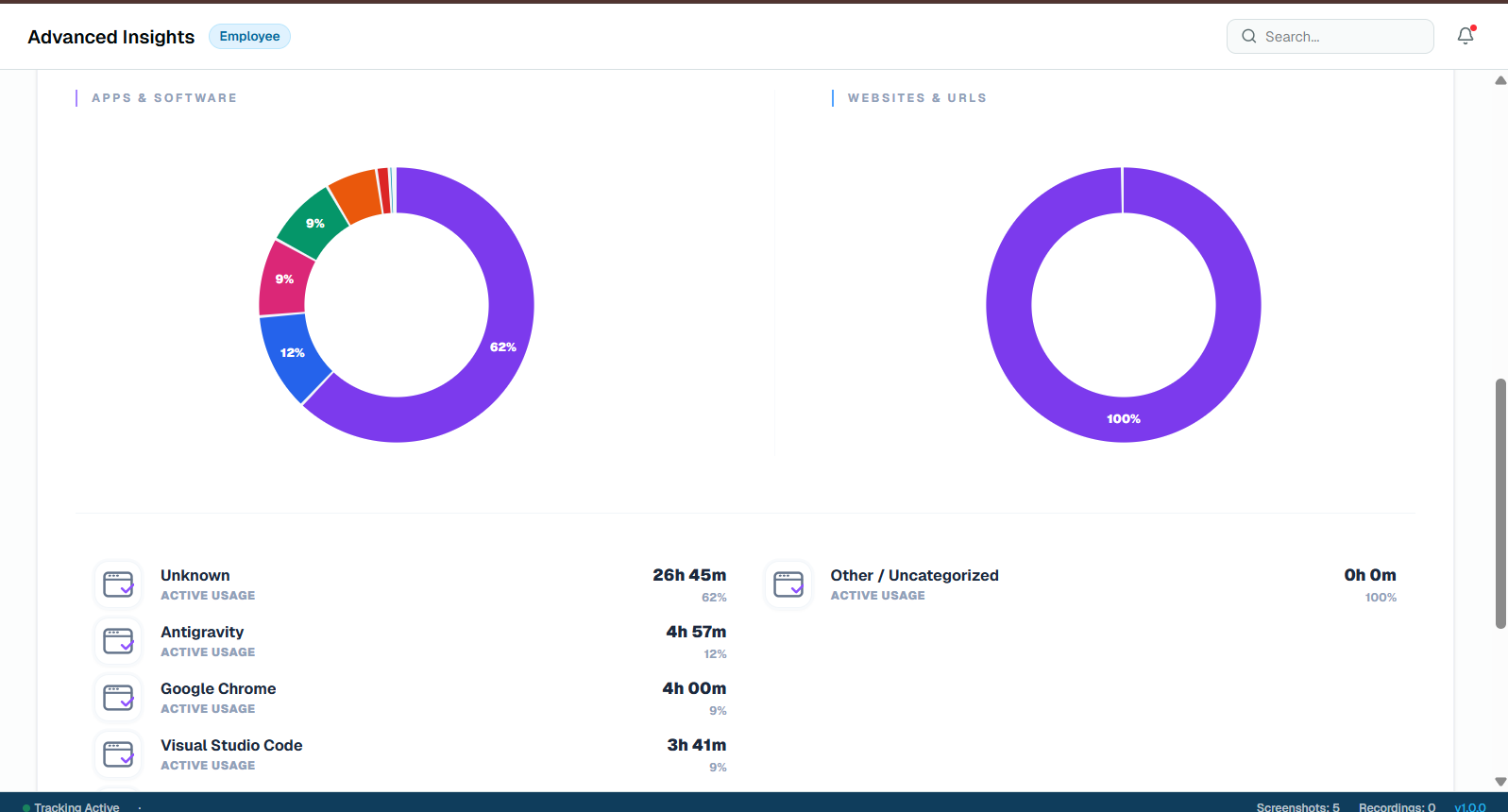
Advanced Insights — Apps & Software usage breakdown with donut charts
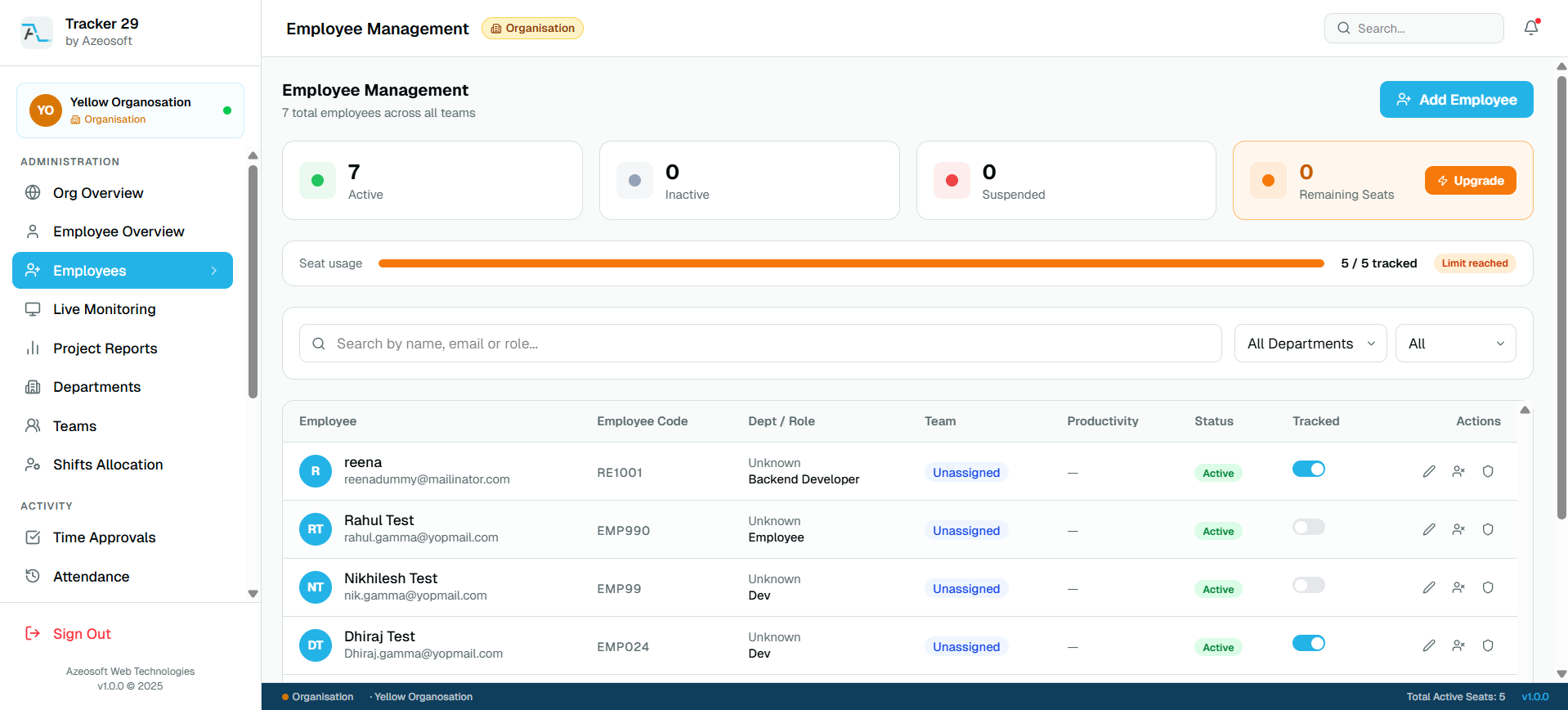
Employee Management — Full employee list with tracking toggles and seat usage
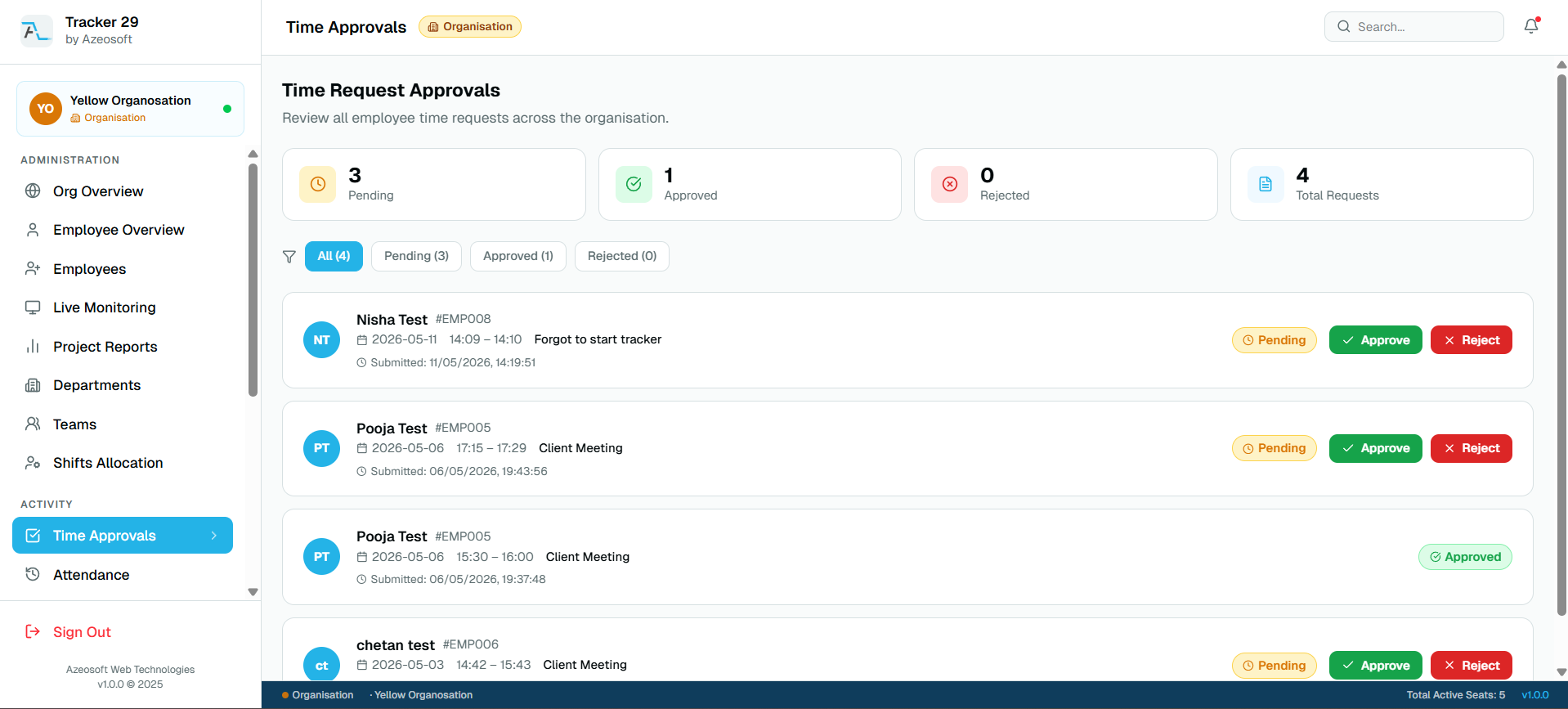
Time Approvals — Manager approval workflow for manual time requests
Why Tracker 29
Built differently from every other tracker out there
Most tracking tools stop at screenshots and app logs. Tracker 29 goes further — with live screen view, offline P2P monitoring, video evidence capture, and a whitelabel option that makes it yours.
- Works offline on Windows, Mac, and Linux
- Realtime screen viewer — online and offline P2P LAN
- First 10 users always free on Starter plan
- Whitelabel branding with your own installer and domain
Deployment Flexibility
Deploy how your business needs it
SaaS Cloud
Hosted by Azeosoft — zero infra management
All plansPrivate Cloud
Your own cloud infrastructure
Premium +On-Premises
Fully self-hosted, air-gapped ready
EnterpriseHybrid LAN + Cloud
P2P local monitoring + cloud sync
EnterpriseTransparent Pricing
How much will it cost for your team?
No hidden fees. No per-feature charges. Slide to your team size and see the exact amount — instantly.
5 seats × ₹249/mon
Billed monthly · min. 5 seats · steps of 5
Simple Setup
Up and running in minutes
Getting started with Tracker 29 requires zero technical expertise. Follow four simple steps and your team will be fully tracked within minutes.
Install the Desktop App
Download Tracker 29 on Windows, macOS, or Linux. Setup takes under 2 minutes. No technical skills required — just install and go.
Tracking Starts Automatically
The moment you log in, time tracking begins. Apps, URLs, and document titles are captured in real time without any manual input from your team.
Review Insights & Reports
Access your admin dashboard to view real-time productivity data, generate custom reports, and export data to share with stakeholders.
Optimize & Scale
Use insights to redistribute workloads, identify inefficiencies, schedule shifts, and drive measurable growth across your entire organization.
Simple setup. Dedicated support included.
Loved by teams worldwide
Thousands of teams rely on Tracker 29 every day to manage their workforce and drive productivity.
"Tracker 29 completely changed how we manage our remote team. We have full visibility without the team feeling micromanaged. Productivity went up 40% in the first month."
Sarah M.
Engineering Manager · TechFlow Inc.
"The automatic screenshot and app tracking features gave us undeniable proof of work for our clients. Billing disputes have become a thing of the past. Absolutely worth every penny."
James O.
Founder & CEO · PixelCraft Agency
"Setup was incredibly fast. Within 5 minutes of installation, we had real data on our team's work patterns. The insights we've gained have been invaluable for planning."
Priya K.
Operations Director · GlobalServe Ltd.
"The shift scheduling and absence calendar features are exactly what we needed. Managing a 60-person team used to be chaotic — now it's completely streamlined."
Michael R.
HR Manager · Meridian Group
"As a freelancer, Tracker 29 helps me accurately bill clients for every minute worked. I used to undercharge all the time. Not anymore."
Elena C.
Senior Designer · Freelance
"The integrations with Jira and Slack are seamless. Time tracking is now embedded in our entire development workflow. The reporting dashboard is superb."
David A.
CTO · SoftStack
Ready to Get Started
Ready to boost your team's productivity?
Join thousands of teams that track smarter, not harder. Choose a plan and get your workforce intelligence platform running in minutes.
Simple setup · Dedicated support · Cancel anytime