Attendance audit logs and status management
Review attendance status, day details, manual corrections, audit logs, full-day, half-day, no-show, late-entry, and leave context in Tracker 29.
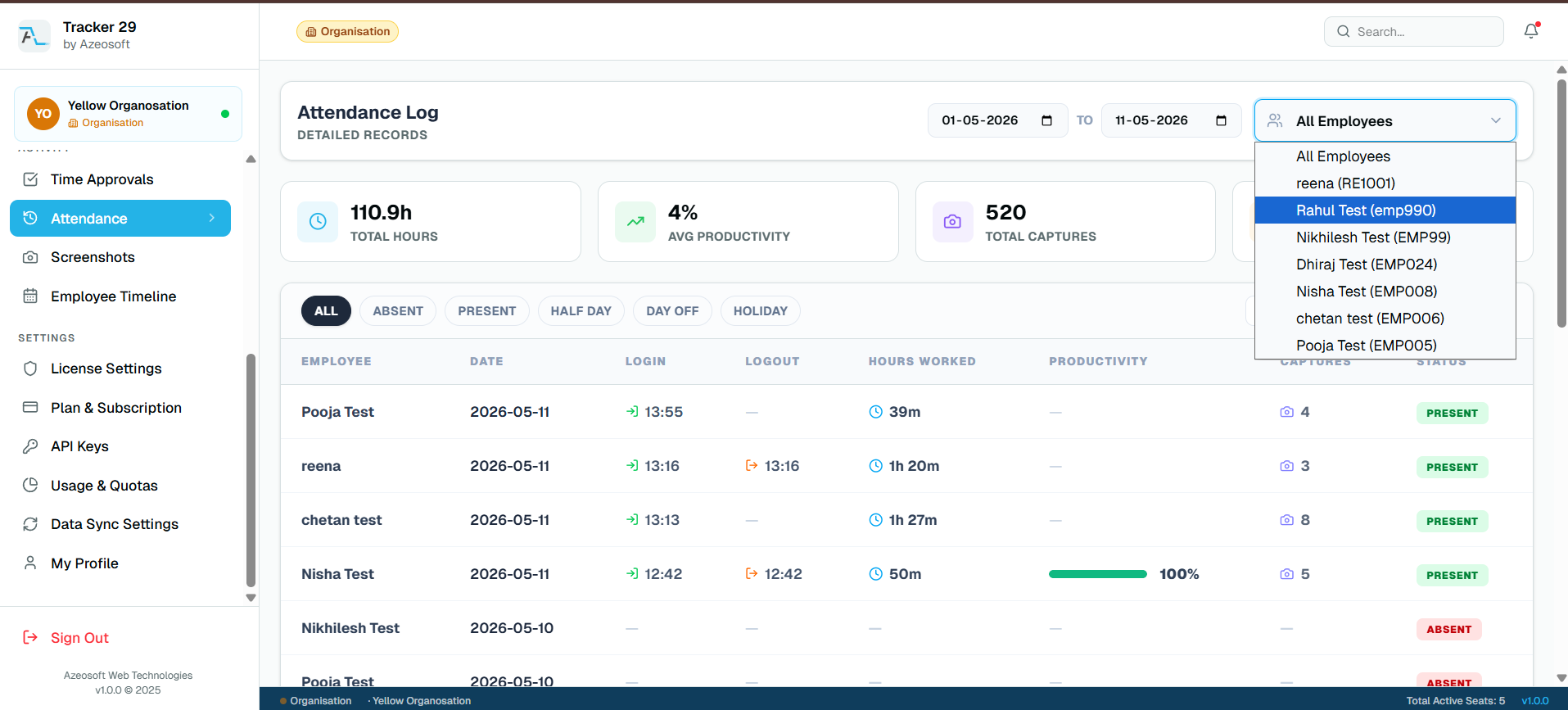
Cleaner attendance corrections
Attendance records sometimes need manager or HR review for missed check-outs, approved manual time, late entries, early exits, leave, holidays, and week-off cases. Tracker 29 keeps those changes structured instead of scattered across chat or spreadsheets.
Audit history for accountability
Attendance audit logs help admins see what changed, who updated it, when it changed, and why. That context is useful for payroll review, HR operations, and compliance-sensitive teams.
Frequently asked questions
Can managers update attendance status?
Yes. Authorized roles can update attendance status and add remarks for manual corrections.
Does Tracker 29 keep attendance audit logs?
Yes. Attendance audit logs record manual changes so teams can review correction history later.
Related features
Productivity Tracker
Track employee work hours, activity levels, app usage, attendance, and productivity trends with Tracker 29. Start with a free plan for up to 10 seats.
Floating Timer
Use an always-available desktop floating timer to start work, pause, take breaks, and track employee time without interrupting focus.
Free API Access
Use Tracker 29 API access to connect employee productivity, attendance, app usage, screenshot, and reporting data with your internal tools.
Screenshot Access
Review employee screenshots from a secure dashboard with timestamps, session context, capture counts, retention controls, and manager-friendly proof of work.
Ready to Get Started
Ready to boost your team's productivity?
Join thousands of teams that track smarter, not harder. Choose a plan and get your workforce intelligence platform running in minutes.
Simple setup · Dedicated support · Cancel anytime